
Haystack News: Local TV News
Haystack NewsNews & Magazines
4.23.32K Reviews
- Version
- Varies With Device
- Installs
- 5.00M
- Age Rating
- Everyone 10+
Screenshots

Our Review of Haystack News: Local TV News
 Analysis by Appyee
Ever found yourself scrolling endlessly through news apps trying to find something relevant? Well, I’ve been there too, and that’s why I decided to give Haystack News: Local TV News a spin. This app promises to bring local and global news right to your fingertips, and I was curious to see if it could deliver on that promise.
One feed for a mix of news video
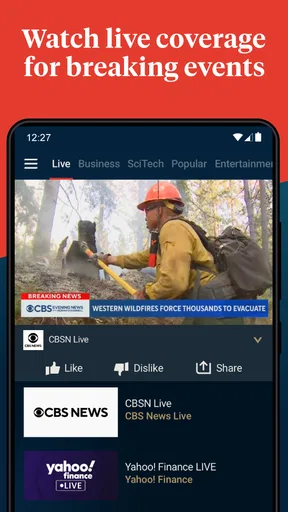
The most useful idea here is bringing video reports from different news sources into one place. Instead of opening several broadcaster apps to see what each is covering, I can use Haystack News to browse a combined feed and choose a clip that catches my attention. That makes it handy for a quick catch-up, especially when I would rather watch a short report than read several articles.
This approach is different from relying on a single TV channel’s app. A broadcaster app can be the better choice when I want that outlet’s full coverage or a particular program, while Haystack News is more convenient when I want to sample stories across sources without switching around. The trade-off is that a shared feed can make it harder to follow one outlet’s reporting in depth; for a developing story, I still prefer checking the source directly.
Using the feed with a little intention
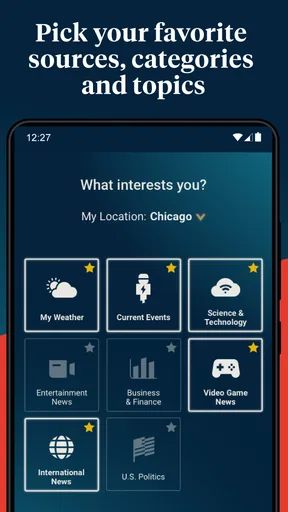
When I first open a news app, the temptation is to scroll until something feels important. Here, choosing interests and preferred sources gives me a more deliberate starting point. I would set those choices around what I genuinely want to follow, rather than selecting every topic and recreating the same crowded feed I was trying to escape.
A practical routine is to use the personalized feed for discovery, then save a story when I want to return to it later. That separates quick browsing from focused viewing: I can make a note of a report during a short break and watch it when I have time to pay attention. Saving is useful for managing that intention, but it is not a substitute for checking a story’s source or context before sharing it.
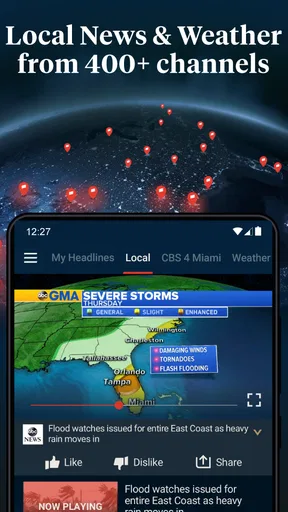
The local angle is most valuable when I want a sense of what is happening around me alongside national and international coverage. It can make a general news session feel more relevant than a feed focused only on major headlines. If I am traveling, though, local coverage tied to where I am may not be the same as news from home, so I would treat it as a way to discover nearby stories rather than as a complete view of a place.
Getting Started with Haystack News
First things first, downloading and setting up Haystack News: Local TV News was a breeze. Available for both Android and iOS, the app downloaded quickly, and within minutes, I was ready to dive into the world of personalized news. Upon opening the app, you’re greeted with a clean and intuitive interface that immediately feels welcoming.
Setting up your preferences is simple. You can choose your favorite categories, whether it’s politics, sports, entertainment, or technology. If you’re like me and have a diverse range of interests, this feature is a godsend. The app also allows you to select your preferred news sources, which means you’re in control of what you see.
A Deep Dive into Features
One of the standout features of Haystack News is its ability to provide local news coverage. It uses your location to curate news specific to your area, which is fantastic if you want to stay updated with what’s happening around you. For someone who’s always on the move, this feature ensures I don’t miss out on important local updates.
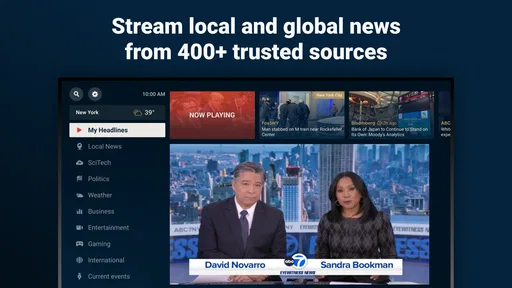
The app also boasts a wide range of video news from various reputable sources. I loved how I could watch clips from major networks without having to switch between different apps. Everything from breaking news to special reports is available at your fingertips.
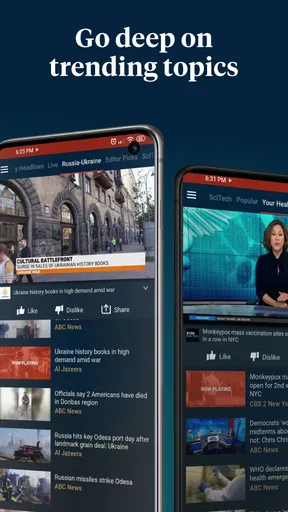
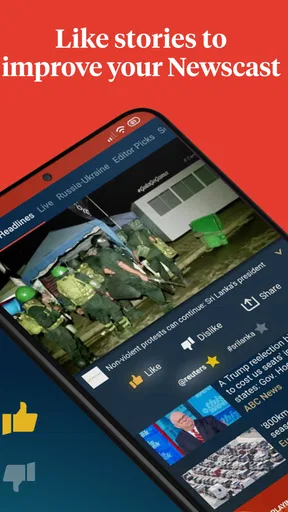
Another cool feature is the customizable news feed. You can tweak it to focus on what matters to you the most, ensuring you’re not bombarded with irrelevant information. It’s like having your personal news curator, which saves a lot of time and effort.
User Experience
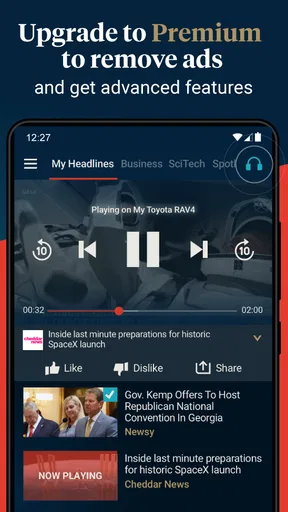
In terms of user experience, Haystack News excels. The app runs smoothly, with minimal lag or glitches. The design is sleek and modern, making navigation a breeze. The video playback is seamless, and the quality is top-notch, making it a pleasure to watch news clips.
One thing I particularly enjoyed is the ability to save stories for later. If I come across an interesting piece but don’t have the time to read or watch it immediately, I can easily bookmark it. This feature has helped me keep track of important stories without feeling overwhelmed.
Who gets the most from it?
I think the app suits people who want a quick video-first overview without building their day around a single broadcaster. It can work well for a commuter who has a few minutes before getting off the train, a parent catching up after the household settles, or someone who wants local reports alongside broader headlines. In each case, the value is convenience: one place to browse several sources and keep a story for later.
For example, I might check the local feed over breakfast, watch one report that matters to my neighborhood, and save a broader story for the evening. That is a more useful rhythm than treating every headline as urgent. If I need a detailed account of a complicated issue, however, I would use the clip as a starting point and then seek out fuller reporting. Short video is easy to consume, but it does not always provide all the background a reader needs.
Where it fits among news apps
Compared with newspaper apps, Haystack News puts more emphasis on watching reports than reading long-form pieces. Compared with social feeds, it offers a more news-centered way to browse, but I would not use any single feed as my only measure of what matters. The different formats serve different needs: a newspaper app is stronger for extended articles, a broadcaster app for its own programs and reporting, and a general news aggregator for scanning a broad range of stories. Haystack News makes most sense when I want video discovery and a personalized selection in one place.
There is a real trade-off in that convenience. A curated feed can make it easy to stay within familiar topics or sources, especially if I set preferences too narrowly. I would periodically revisit those choices and keep a mix of interests and outlets, rather than assuming personalization automatically creates balance. For a major event, comparing coverage from more than one source is still a sensible habit.
What to expect before relying on it
Haystack News is a free news and magazines app from Haystack News, with optional in-app purchases listed at $4.99 per item. It has a 4.2 average from around 23,000 ratings, and more than five million installs. Its age rating is Everyone 10+, which is worth keeping in mind if you are choosing news apps for a family device. The large audience suggests it is an established option, but an average rating cannot tell me whether its particular mix of sources suits my tastes; I would judge that by trying the feed for the topics I actually follow.
A common practical question is whether it can replace every other news source. I would say no: it is strongest as a convenient viewing and discovery layer, not as a reason to stop checking original reporting. Another question is whether it is useful if I do not want video. The app’s video focus is central to its appeal, so readers who prefer text-first coverage may be happier with a newspaper or text-based aggregator. If I am trying to catch up silently in a waiting room, I would also consider whether watching clips is appropriate for that moment rather than assuming video is always the easiest format.
Is Haystack News Worth It?
So, after spending some time with Haystack News, do I think it’s worth your while? Absolutely. The app does an excellent job of consolidating local and global news into one platform, making it convenient to stay informed. Whether you’re a news junkie or someone who just wants to catch up on the latest happenings, Haystack News has something for everyone.
The app’s ability to personalize content and provide high-quality video news makes it stand out in a crowded market. While no app is without its flaws, Haystack News comes pretty close to being the perfect news companion. If you’re looking for a reliable and easy-to-use news app, give it a try. You might just find it becomes your go-to source for all things news.
My final recommendation
I would recommend giving it a try if you want one convenient place to discover local and wider video coverage, and you are willing to keep your preferences broad enough to encounter different subjects. Use saved stories to shape a manageable catch-up routine, and go to the original source when a report needs more depth. If your priority is long investigative reading, a single channel’s complete programming, or a strictly text-based experience, another kind of news app may fit better. For quick, flexible video browsing, though, Haystack News is a practical option I would keep within reach.
Privacy and Permissions
See what permissions an app requests and how it handles your data.
- Identity
- find accounts on the device
- Contacts
- find accounts on the device
- Location
- approximate location (network-based), precise location (GPS and network-based)
- Microphone
- record audio
- Wi-Fi connection information
- view Wi-Fi connections
- Other
- view network connections, pair with Bluetooth devices, full network access, run at startup, control vibration, prevent device from sleeping
Verdict
Strengths of Haystack News: Local TV News
- Wide variety of local news channels.
- Customizable news feed options.
- User-friendly interface design.
- Free to use with optional premium features.
- Supports multiple devices seamlessly.
Limitations of Haystack News: Local TV News
- Limited international news coverage.
- Occasional ad interruptions.
- Needs a stable internet connection.
- No offline viewing option.
- Some channels may have regional restrictions.
Similar Picks in This Category
View All
Google News - Daily Headlines
Google LLC4.0

X
X Corp.4.8

Flipboard:Your Social Magazine
Flipboard3.4

Opera News: breaking & local
Opera4.5

Hindi News by Dainik Bhaskar
Dainik Bhaskar Group4.0

Way2News Daily News App
Way2News ( Formerly Way2SMS )4.6
Frequently Asked Questions
What is Haystack News and how does it work?
Haystack News is a personalized news app that aggregates content from various local, national, and international news sources. It allows users to customize their news feed based on interests and preferences, providing a tailored viewing experience. The app curates live and on-demand news segments, making it easy to stay informed about current events.
Is Haystack News free to use, or does it require a subscription?
Haystack News is free to use, offering access to a range of news content without a subscription. However, it may include ads to support the free service. Some features, such as enhanced customization options or ad-free experiences, might be available through in-app purchases or premium subscriptions.
How can I customize my news feed on Haystack News?
Customizing your news feed on Haystack News is straightforward. Upon signing up, you can select your favorite topics, categories, and news sources. The app uses these preferences to curate your news feed. You can update your selections at any time to refine what you see and ensure the content remains relevant to your interests.
What types of news content does Haystack News offer?
Haystack News provides a diverse range of content, including local news, national headlines, international events, and niche topics like technology, sports, and entertainment. It combines live broadcasts with on-demand clips from various reputable news outlets, ensuring users have access to a comprehensive news experience.
Is Haystack News available on all devices?
Yes, Haystack News is available on both Android and iOS devices. It can be downloaded from the Google Play Store or the Apple App Store. Additionally, it supports a variety of platforms, including smart TVs and streaming devices, allowing users to watch news content on multiple screens.
